
Exclusive Listing Agreement Template
Create an exclusive right to sell or exclusive agency listing agreement in minutes. Paste any state-required notices or extra terms into the Additional Clauses box. PDF and editable Word.
One-time price · PDF + editable Word (.docx) · no account, no subscription
Create my exclusive listing agreement →- Answer a short questionnaire — about 5 minutes
- Your names, terms and options written into the document
- Developed under the direction of a licensed attorney; plain-English, no fill-in-the-blank gaps
- Your answers never leave your browser
Before you use it: check your state’s rules
Listing agreements are regulated state by state. The agreement covers the requirements common to most states and defers to state law in any conflict. Add anything your state requires in the Additional Clauses box or as a signed rider. Check these items first:
- Use only if approved: many brokerages, and some state associations or licensing authorities, require approved or promulgated listing forms. Get your supervising broker's approval first.
- Required contents: most states require a definite expiration date, a description of the property, the price and terms, the compensation or how it is calculated, and the signatures of all owners. Some also require license numbers and supervising-broker contact information.
- Required notices: some states require specific wording in a set type size or position (for example, Minnesota requires a boldface notice immediately before the compensation provision). Paste it exactly as written in the statute, and use the Word file to put it in the required place.
- Prohibited terms: many states bar automatic renewals, requiring the seller to give notice to cancel after the expiration date, and protection periods that are too long or lack a timely written protective list.
- Compensation: state the listing fee as one exact figure, keep any buyer-broker offer off the MLS, and state that commissions are not set by law and are negotiable.
- MLS: follow your MLS rules on submission deadlines, office-exclusive and delayed-marketing listings, and seller sign-off.
- Disclosures: deliver the state agency form, the seller property disclosure, and the federal lead-paint form (pre-1978) on time.
- Give the Seller a signed copy immediately, and keep the records for the period your state requires.
This document is a template, not legal advice. Use it with your supervising broker’s approval.
What’s inside
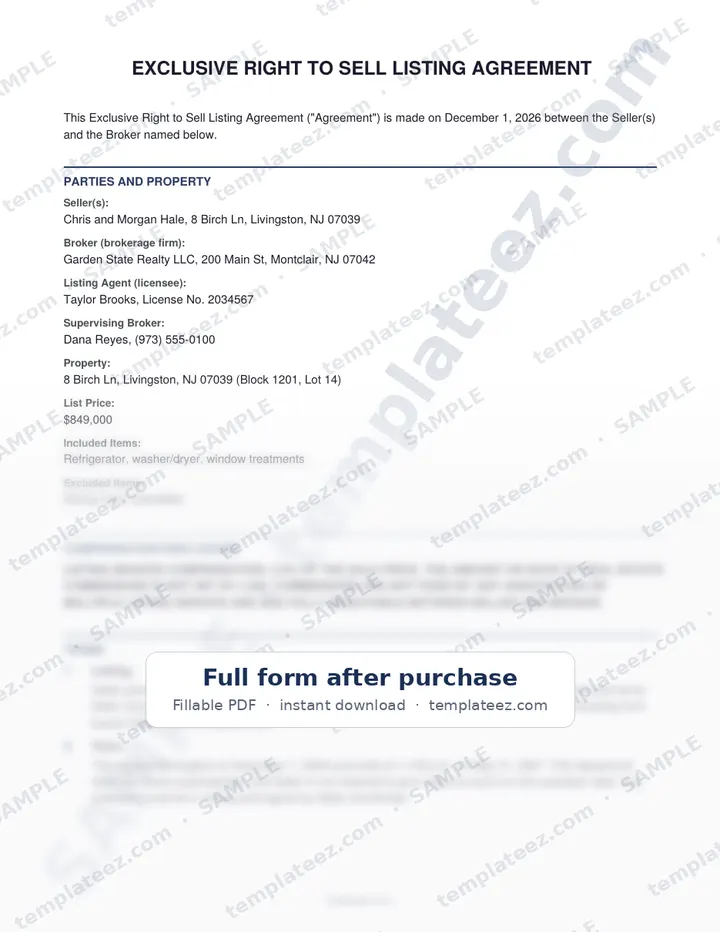
- Exclusive right to sell or exclusive agency
- Property, list price, included and excluded items
- Definite term, no automatic renewal, no notice needed to end on the expiration date
- Conspicuous compensation disclosure: not set by law, fully negotiable
- Seller-authorized compensation to buyer brokers (kept off the MLS) or offer-by-offer decisions
- Protection period that requires a written protective list
- MLS, lockbox and sign instructions, seller representations and disclosures
- Federal lead-based paint clause for homes built before 1978
- Additional Provisions section for riders, custom terms or state-required wording
- Optional: dual / designated agency consent, early cancellation fee, leasing
Who it’s for
Listing agents and brokerages, especially new brokerages that need a clean, attorney-drafted listing agreement of their own.
How it works
1. Answer
Fill in the parties, dates, money terms and choices in a short step-by-step form.
2. Add clauses
Optional add-on clauses, priced individually, for the situations that need them.
3. Download
Pay once and your PDF and Word files download instantly. Print, sign or e-sign.
Ready in minutes
$39.99 for the complete document in PDF and Word. 30-day refund if it’s not right for you.
Start the Exclusive Listing Agreement →Frequently asked questions
Can I use it instead of my association's form?
Only if your brokerage allows it. Some brokerages, associations and states require approved forms. The agreement is designed so your broker can review and adopt it, and it defers to state law in any conflict.
Where does my state's required notice go?
Paste it into the Additional Clauses box, or attach it as a signed rider. If your state requires the wording in a particular place, for example right before the compensation section, move it there in the Word file.
What do I get?
A finished document with your names, terms and selected clauses written in, as a PDF ready to sign and an editable Word (.docx) file. Generation happens in your browser.
Is this legal advice?
No. The documents are drafted to standard legal conventions, but laws vary by state. Have an attorney licensed in your state review anything important before you sign.
Other documents you can generate
Templateez documents may create binding obligations. Nothing on this page or in the generated document is legal advice, and not every provision may be enforceable in every jurisdiction. Consult an attorney licensed in your state before signing.